
The Wedding-Day Connectivity Checklist for a Rural Quinta
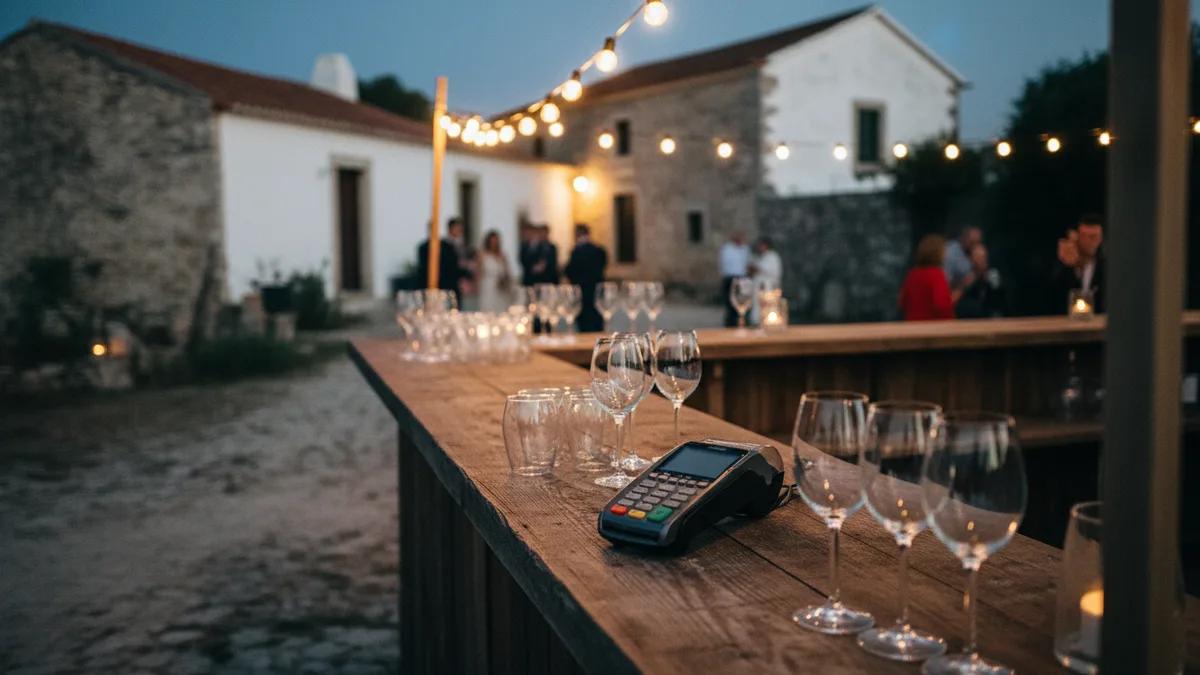
Six things, in the order they actually go wrong. None of this is complicated, and all of it has to be decided before the week of the wedding, because the failure modes cluster on the one day nobody can reschedule.
The longer version, including which venues are worth worrying about, is in the wedding and event WiFi rental guide. This is the checklist.
1. Ask the venue the right question
Not "do you have WiFi". Every venue says yes. Ask two better ones:
- What is the mobile signal like in the space the event is actually held in? Not the reception, not the car park. The marquee, the terrace, the barn.
- Is the router in the main house, and what is between it and there? In a converted farm the answer is usually "yes" and "two stone walls".
Whatever they tell you, write it down. If the answer to the first is vague, that is information too.
2. Decide what genuinely must be online
Write the actual list. It is shorter than people expect:
| Needs the internet | Why it matters |
|---|---|
| Card terminal at the bar | No connection, no bar takings. The one that costs money directly. |
| Coordinator's phone | All day, every supplier call, every change of plan. |
| Photographer | Card backups between ceremony and dinner, if they work that way. |
| DJ's streaming playlist | Nobody plans for it and everybody notices. |
| Livestream | Only if you are doing one. The only heavy item on the list. |
Everything else — guests posting photos — is nice and should not be part of the plan. If guest WiFi matters to you, say so out loud, because it changes the answer.
3. Plan the power, not just the signal
This is the one that catches people, and it has nothing to do with coverage.
A pocket WiFi runs 6 to 8 hours on its own battery. A wedding day is longer. Put it on a windowsill at 14:00 with a full charge and it dies during the first dance — precisely when the bar is at its busiest.
It charges while in use, so the fix is trivial and has to be decided in advance:
- Give it a socket and leave it plugged in. It then stays up all night with no intervention.
- If the best signal spot has no power, add a power bank or a spare battery. Ours are 5 EUR each on the booking form.
4. Give the device to a person
Not "the bar" and not "somewhere near the marquee". A named person, who also holds the charger, and who is responsible for the day running rather than for pouring drinks. In practice that is the coordinator or the most organised member of the wedding party.
A device nobody owns is a device nobody notices has gone flat.
5. Test it on a Thursday
Have it delivered two days early, to the venue or to the hotel, and switch it on in the room where the event happens. Walk to the bar with it. Walk to the marquee.
Midweek matters for an unglamorous reason: support lines, including ours, largely operate Monday to Friday. A problem found on Thursday can be solved. The same problem found on Saturday morning cannot.
6. Decide primary or backup
Both are legitimate, and they lead to different placements.
Primary, when the venue line is poor or absent: the hotspot carries the card terminal, the coordinator and the photographer. Up to 10 devices share one truly unlimited connection at up to 150 Mbps.
Backup, when the venue has usable WiFi: rent one anyway and keep it with the coordinator, so that when the house line drops at 21:00 the bar keeps taking money. This is what a good share of our event customers actually do.
Practical notes. Pocket WiFi rental starts at 18 EUR for three days, with the daily rate falling the longer you keep it, so covering a setup day and a strike day either side costs little. Cancellation is free up to 24 hours before the start date, which means booking early on a fixed date costs you nothing.
If the venue is somewhere with genuinely marginal coverage — the Douro valley has real terrain shadows — tell us what the venue said before you book. We would rather say the honest thing in advance than have you find out on the day. Contact us, or check the region first on the coverage overview.